
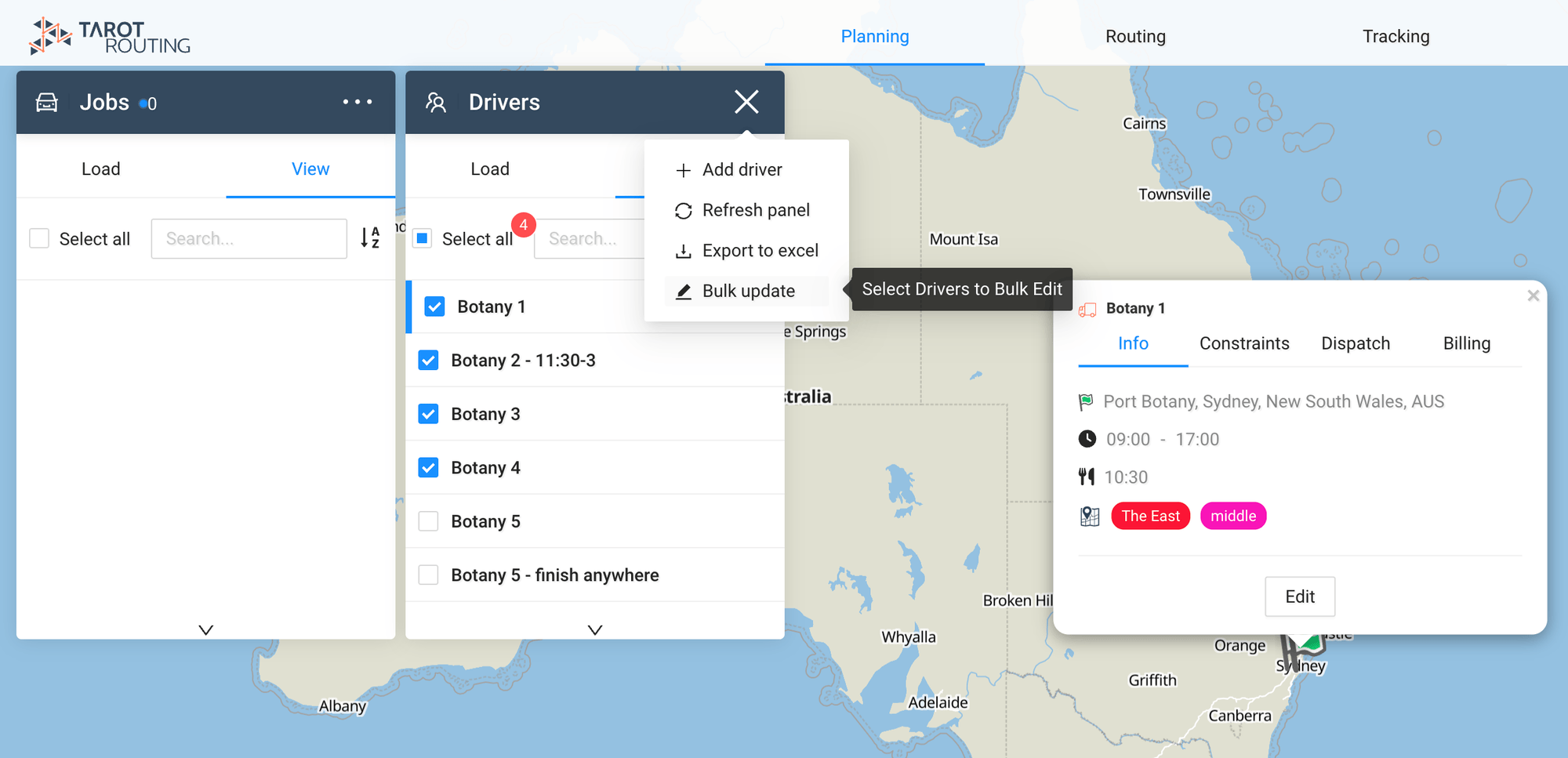
Release 2.1.6 went live on the 19th November 2024, you can now bulk update drivers from the map interface.
New Features:
Bulk Update Drivers: Simplify driver management with the ability to update multiple profiles simultaneously.
Timeline Sequence/UID Toggle: Quickly switch between sequence numbers and unique identifiers on the timeline.
Job Pool Full-Height Drop-Zone: Improved usability by extending the job pool drop-zone to full height.
Improvements:
- Proof of Delivery (PoD) Logo: Corrected image scaling for improved clarity. Removed “NO LOGO” text from PoD PDFs when an organization does not have a logo.
- Enhanced error messages for adding and copying drivers in the admin panel.
- Updated map tile styles for a refreshed and clearer visual design.
- Refined ETA alignment and “Run Start” text display in Routing and Tracking stages.
- Scenario Calendar Fix: Prevented overloading the scenario panel with excessive data.
- Improved Billing Rates Page layout for easier access and navigation.
- Bulk Create Jobs UI: Text fields now properly aligned for a more consistent experience.
Bugfixes:
- Resolved issue with missing photo and signature proofs in the platform.
- Fixed scrolling glitch in the Runs panel for smoother navigation.
- Addressed “null” being accepted as a valid value for Driver Lunch Time.
- Corrected alignment of ETA on the Routing Stage.
- Fixed duplication of runs in the Live Overview panel.
- Resolved broken “Download PoD” functionality.
- Delivery tracking issues have been fixed to ensure accurate status updates.
- Timeline sequence numbers now update correctly.
- Addressed an issue where routing stages displayed large gaps in unfolded empty runs.
- Fixed error that prevented jobs from being moved from the pool if at least one job was already in a run.
- Corrected “Incorrect time format” error when adding jobs with time constraints.
- Fixed unresponsive “Send Billing to Ines” button on the Run Cost Calculator page.
- Addressed driver copying errors in the admin panel.
- Resolved “Drivers” page visibility issue in the Admin Panel Database.
- Fixed disappearing Pickup Delivery lines when unfolding runs.
- Resolved Conditional Events and Actions functionality issues.
- Prevented activation of additional scenarios when using the “Deactivate” button in Customer View.
- Fixed Progress Report opening in the same window instead of a new one.
- Addressed Drivers panel scrolling and selection glitches.
- Resolved runs appearing twice in the Runs panel.