We’ve made it even easier for Drivers to stay on route and focused on deliveries.
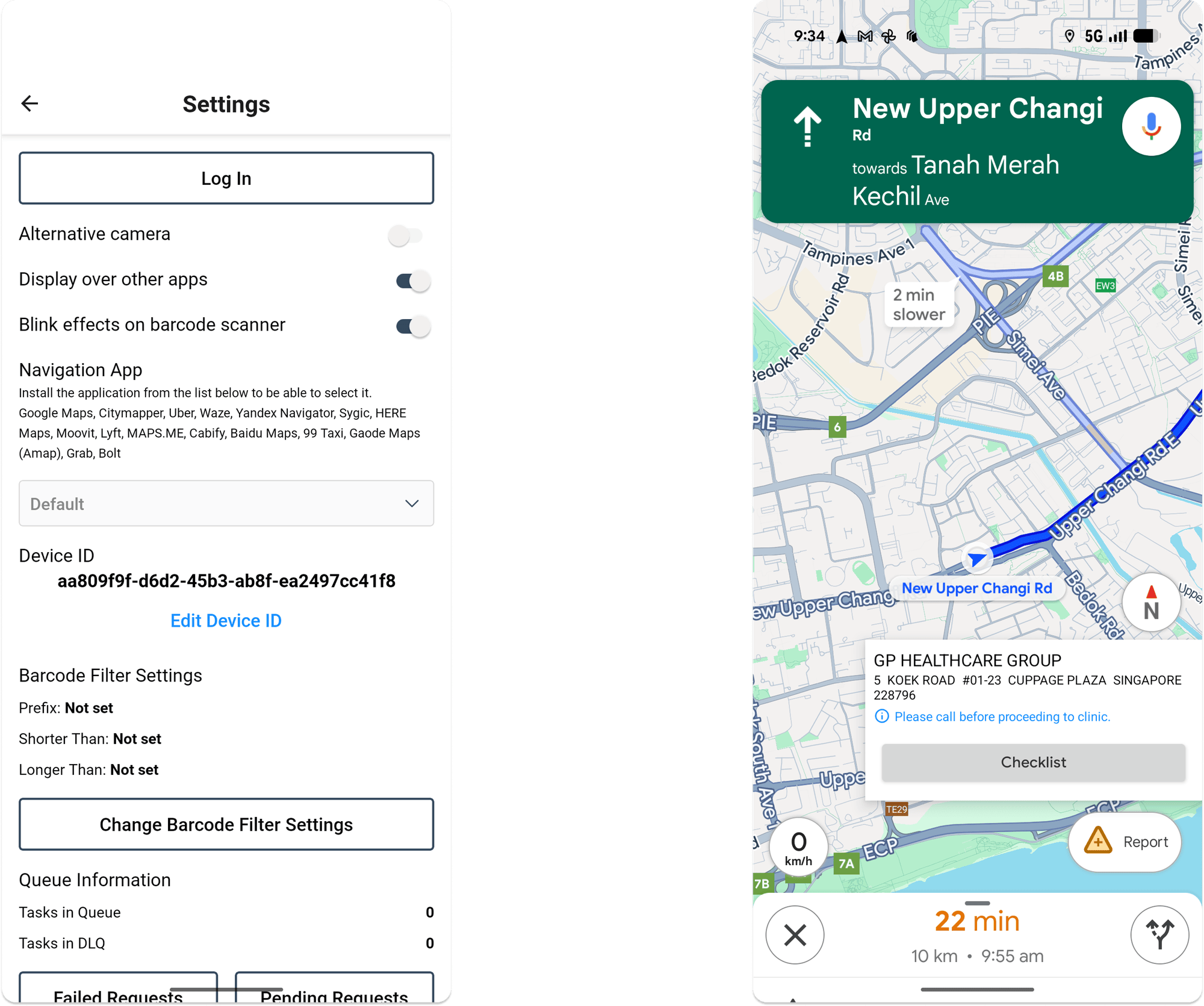
On Android devices, the Tarot Driver App now includes a handy overlay that appears when you navigate to a job — letting you switch seamlessly between your navigation app (like Google Maps or Waze) and Tarot Driver App.
How it works
When you tap an address in the Driver App, Tarot opens your chosen navigation app. A small floating Tarot overlay will stay on screen, ready for when you reach your destination.Tap it to jump straight back into the Delivery Checklist and complete your proof of delivery.
How to turn it on (or off)
- Open the Tarot Driver App.
- Tap the settings ⚙️ icon in the top-right corner.
- Toggle “Display over other apps” on.
That’s it — next time you start navigating, the overlay will appear automatically.
Want to move or close it?
- Drag the icon anywhere on your screen to reposition it.
- Remove it by dragging it to the ❌ at the bottom of your screen.
This new overlay is currently available on Android phones only, and makes it faster than ever to navigate between stops and complete your deliveries without losing your place in Tarot.